.png)

Updated 08 January, 2026
You deliver great coaching, but your clients are drowning in tool chaos. Zoom links live in one inbox thread, Calendly reminders in another, Slack channels get muted, and PDFs disappear into email archives. Your completion rates hover around 15% and monthly churn climbs past 7%, not because your program doesn't work but because your delivery system creates friction at every step. A branded mobile app consolidates everything into one home-screen experience with push notifications that actually get opened, offline access that works anywhere, and community features that drive accountability. This playbook shows you how to migrate your existing clients from scattered tools to a unified app in 30 days, secure predictable MRR through subscriptions, and use mobile engagement tactics to improve retention.
Why the "Zoom-Slack-PDF" shuffle kills coaching retention
Your clients signed up because your program works, but they leave because your delivery system doesn't. When a client needs to check three platforms just to find last Tuesday's worksheet, you've introduced friction that has nothing to do with your coaching quality, and email reminders compete with 121 other unread messages while Slack channels get muted after the first week.
The average online course completion rate hovers around 15%, with some web-based programs dropping as low as 3-5%. The delivery method matters more than the content quality. Mobile learners complete programs faster because portability, touch-screen interaction, and bite-sized lessons remove the barriers that web browsers create. When social accountability enters the picture through community features, engagement can transform dramatically.
A branded mobile app lives on your client's home screen between Instagram and their banking app. Push notifications appear as lock-screen alerts with 7x higher click-through rates than email. When your client opens the app, everything is there: today's lesson, the accountability chat, their progress tracker, and your upcoming 1:1 slot. No login hunting, no browser tabs, no "I couldn't find the link" excuses.
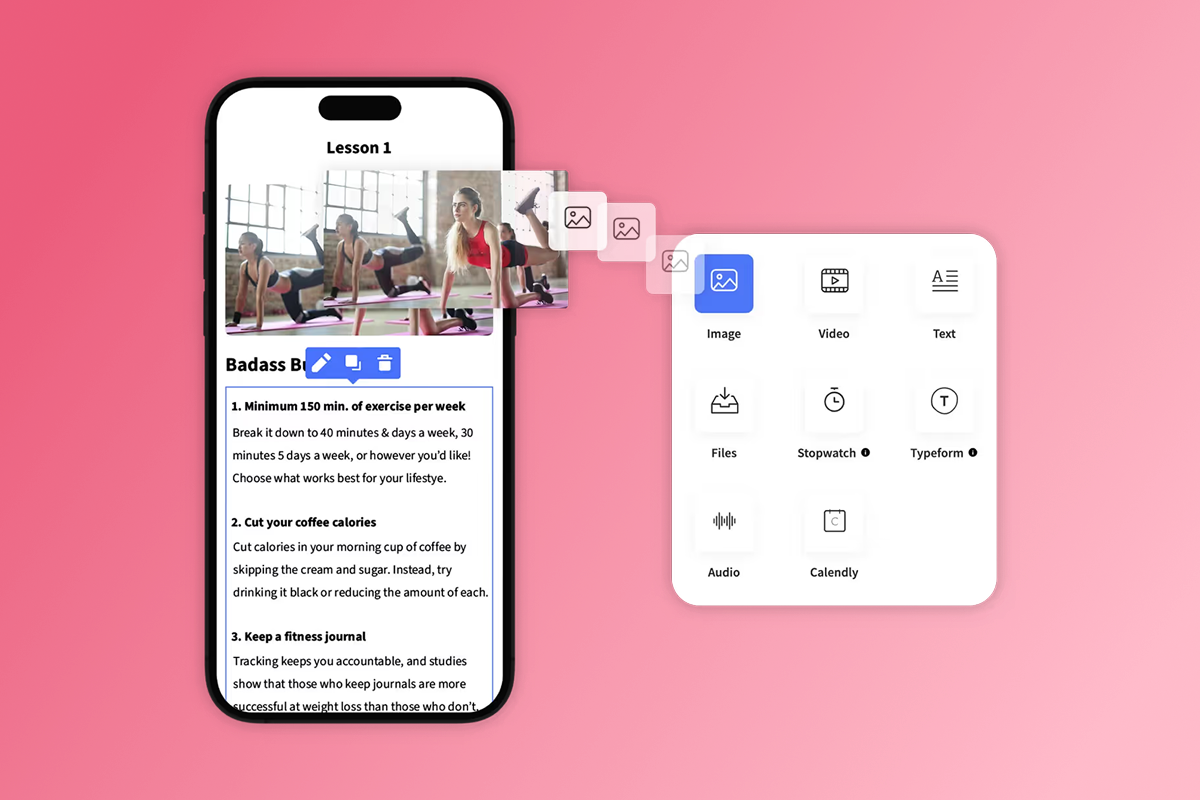
Native mobile apps deliver push notifications, offline content access, and in-app community as core features, not bolted-on integrations. Web platforms like Kajabi and Thinkific are mobile-responsive sites that still depend on browser behavior and email open rates. Native mobile apps see 2.5x more logins per week because they occupy physical real estate on devices and send notifications that bypass inbox clutter.
The migration roadmap: Moving clients from scattered tools to your app
Migration beats acquisition when you already have paying clients. Your existing roster represents warm revenue that trusts you enough to have already paid once. Moving them to an app upgrades their experience while securing recurring payments and eliminating tool sprawl.
Step 1: Audit your content and define your value proposition
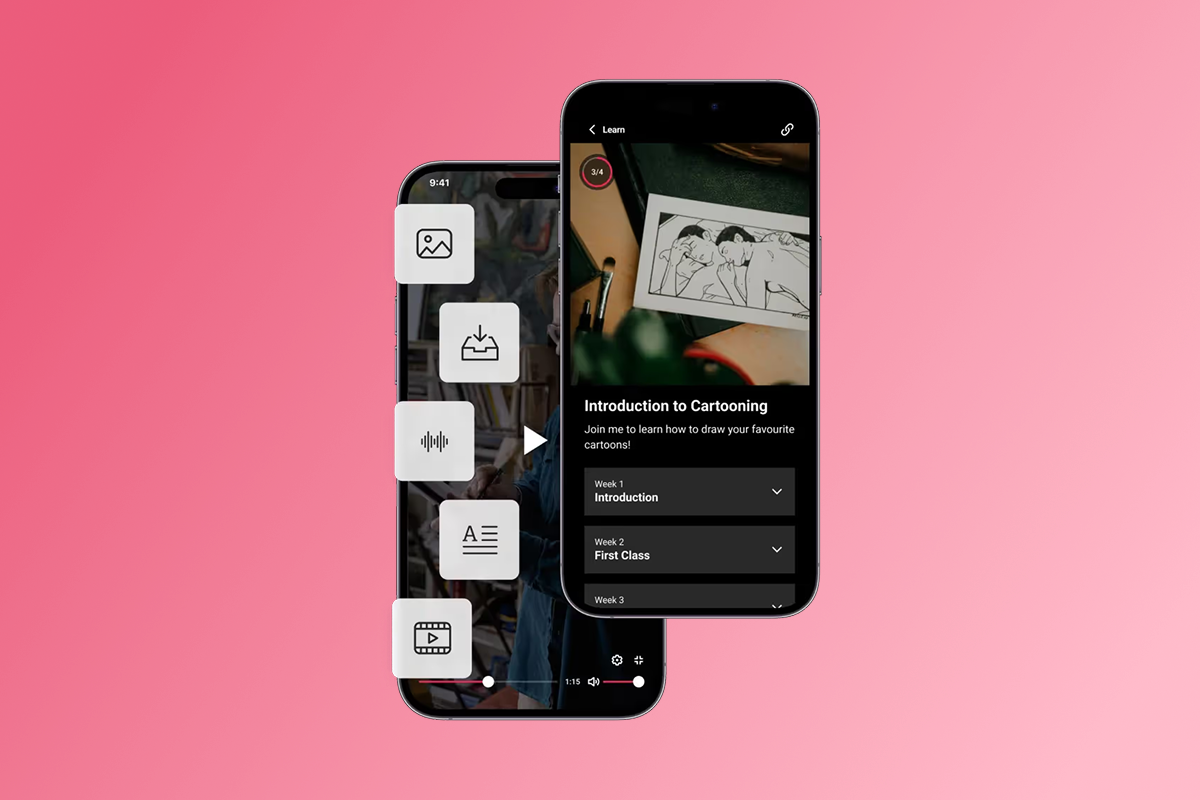
Start by listing every deliverable you currently provide: video calls, recorded sessions, worksheets, templates, accountability check-ins, Q&A access, and community threads. Map each item to where it currently lives. Zoom recordings in Google Drive, PDFs in email attachments, community in a Facebook Group, scheduling through Calendly, payments through Stripe checkout links.
Reframe those deliverables as app features that deliver more value with less friction. Weekly Zoom calls become "Live Sessions" with calendar integration and push reminders 15 minutes before start time. Recorded sessions become your on-demand lesson library with offline download. PDFs become a Resource Library organized by module. Facebook Group becomes your in-app Community with channels for wins, questions, and accountability.
Document your content inventory: current deliverable, current platform, app feature replacement, and migration difficulty. Prioritize easy wins covering 80% of client touchpoints. Passion's drag-and-drop builder handles video, audio, PDFs, and text without coding, so migration difficulty is usually about organizing files, not technical complexity.
Step 2: Set up your pricing and access tiers

Recurring revenue depends on subscription pricing that reflects ongoing value. Your app is not a one-time course but a membership that grants access to evolving content, live support, and community as long as the client pays monthly or annually.
Choose between three monetization paths based on your client behavior. PassionPayments charges 3.9% on web checkouts plus Stripe's standard processing fees of approximately 2.9% + $0.30, totaling around 6.8% + $0.30 per transaction. This path makes sense for higher-ticket bundles or annual plans where you want to preserve margin.
Apple and Google charge 15% for in-app purchases if your annual app revenue stays under $1 million through their Small Business Program. Above $1 million, the rate increases to 30%. Google applies 15% to all auto-renewing subscriptions from day one. IAP works well for monthly subscriptions priced under $100 because mobile buyers expect one-tap purchase convenience.
External checkout processed outside PassionPayments carries 0% Passion platform fee. You pay only your payment processor's standard rates. This path suits enterprise clients or high-ticket annual contracts where you handle invoicing directly.
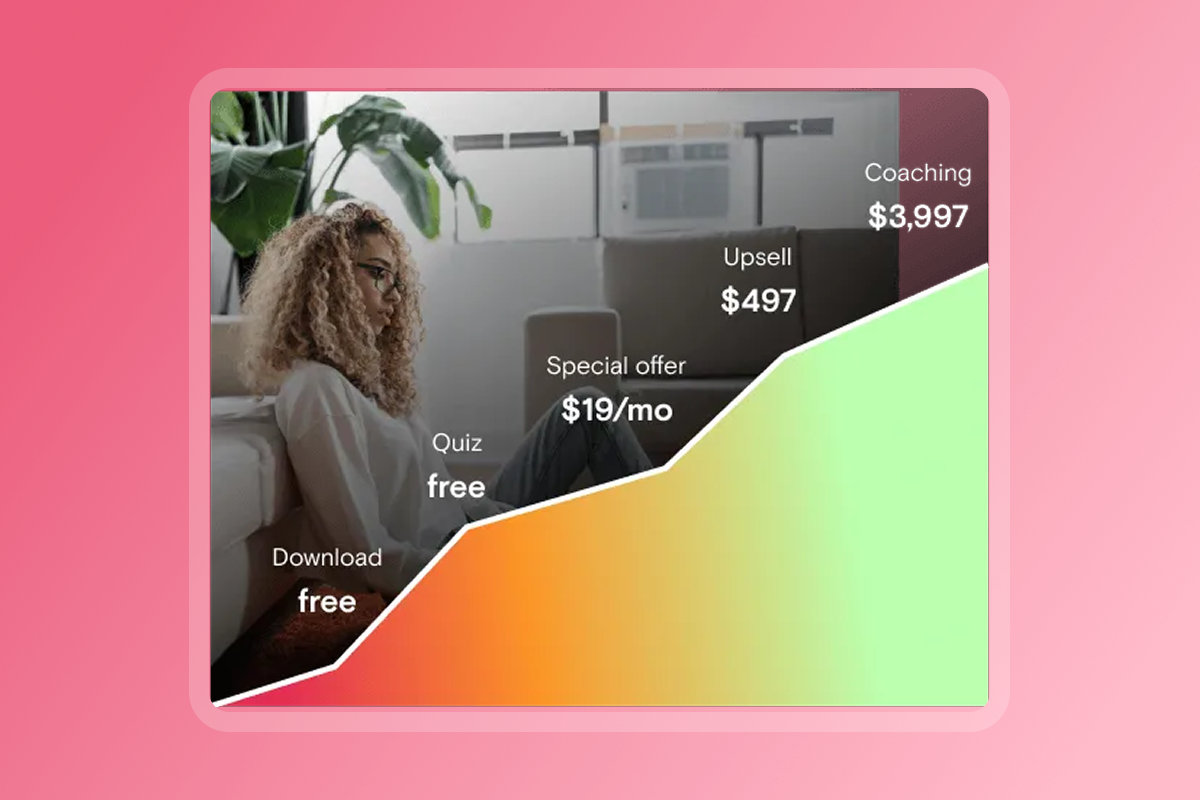
Structure your tiers to capture different commitment levels. A business coach targeting solopreneurs through enterprise clients might offer: Free (3 sample frameworks + community), Core at $97/month (all frameworks, group calls, community), Premium at $297/month (everything in Core + two 1:1 sessions monthly). The premium tier generates 3x revenue from the same content by adding high-touch support that scales your expertise without scaling your time.
Step 3: Create your migration communication plan
Your clients need to know three things: what is changing, why it benefits them, and what they need to do. Launch the communication plan 2-3 weeks before your app goes live.
- Weeks 1-2: Announce and build waitlist via email and your current platforms. Send a direct message explaining the change and benefit: "I'm consolidating everything into one custom app so you get a better experience without hunting across five different tools. You'll receive push reminders for live sessions, access all resources offline, and connect with the community in real-time. Early access opens in two weeks." Follow with a video walkthrough showing the app interface, highlighting specific pain points you're solving. Include a waitlist signup with an incentive for early adopters: lock in current pricing for 12 months or receive priority onboarding support.
- Week 3: Send onboarding instructions with screenshots for downloading the app, creating an account, and accessing content. Host a live Q&A to address technical questions and celebrate the transition as an upgrade. Position the app as an evolution of your service, not a replacement.
For clients on legacy payment plans (one-time purchases, lifetime access), grandfather them into a free or discounted tier that preserves goodwill while clearly differentiating from new subscription members.
App launch strategy: How to get your first 1,000 high-value downloads
Your first 1,000 downloads should come from people who already know and trust you, not strangers scrolling the App Store. Your existing roster of clients, email subscribers, social followers, and referral partners represents warm revenue and proven interest. A high-conversion launch that migrates this audience beats a viral launch attempt every time because you're moving committed users into a better experience, not convincing skeptics to take a chance.
Leveraging your owned audience for initial traction

Start with your existing clients. If you have 50 active clients and each one downloads the app, that's 50 day-one downloads with 100% engagement potential. Email your full subscriber list with a launch sequence spread across 5-7 days: announcement (launch date + what's inside), value preview (case study or testimonial), launch day (direct download links for iOS, Android, and web), and 48-hour follow-up (first lesson guidance). Each email reinforces one benefit and one action.
Drive your social media audience to the app with platform-specific tactics. Post a 60-second video tour on Instagram Stories and TikTok showing the interface and highlighting one killer feature like offline access or push reminders. Pin the download link in your bio and in every post during launch week. Create a challenge that requires app participation to create urgency.
Activate referral loops with built-in incentives. Offer one free month, exclusive content, or a 1:1 session for every three referrals. Your members become your distribution channel when you give them reasons to share. Partner with adjacent creators or communities whose audiences need your expertise. Cross-promote each other's apps with guest lessons or joint challenges.
App Store Optimization (ASO) essentials for coaches
Your app listing is your storefront on Apple App Store and Google Play. ASO determines whether someone who finds your app actually downloads it. Optimize four core elements before you submit.
- Title and Icon: Keywords in the app title carry the strongest ranking weight. Include your brand name plus a descriptor: "Business Growth Academy by Rachel" tells prospects exactly what they're getting. Your icon should be simple, bold, high-contrast. Test at 512x512 pixels and shrink to 60x60 to verify it's still recognizable.
- Screenshots and Video: Use 3-5 screenshots that tell a story. Lead with your main benefit, follow with unique value and social proof, then demonstrate core features. Video content is increasingly important for ASO. Record a 30-second vertical video showing a user opening the app, browsing a lesson, posting in the community, and receiving a push notification.
- Description and Reviews: The first three lines appear before users tap "Read More," so front-load your value proposition. Use bullet points to list features in scannable format. Include social proof and end with a clear call-to-action. Prompt happy clients to leave reviews after they complete a milestone.
App Store reviews average 1-2 days and Google Play reviews average under 3 days in 2025. Passion provides submission support on higher-tier plans, or you can handle it yourself using their step-by-step guides.
Monetization models that build predictable MRR

Recurring revenue depends on subscription pricing that aligns value delivery with payment frequency. Choose between freemium, paid-only, or tiered models based on your coaching style and client lifetime value.
- Freemium model: Offer limited content free to lower the barrier to entry, then convert users to paid tiers once they experience value. Freemium works when your content can demonstrate value quickly and when you have enough free users to generate meaningful conversion volume.
- Paid-only model: Charge from day one to attract serious, committed clients and filter out tire-kickers. Paid-only preserves premium positioning and reduces support load from non-paying users.
- Tiered model: Combine freemium entry with multiple paid tiers. Tiered pricing captures different segments and creates natural upgrade paths as clients deepen engagement.
Calculate your take-home on a $100 monthly subscription across channels:
Choose your path based on volume and relationship depth. If you run high-touch cohorts with direct client relationships and average order values above $500, drive external checkout to preserve 10-12 percentage points of margin. If you're building a high-volume membership with monthly subscriptions under $100 and your clients expect mobile-native purchasing, accept the IAP fee as a conversion tax. Test both paths for 90 days and compare conversion rate against margin per sale.
"The platform walks you through every step with clarity, making what could be a complicated process feel smooth and manageable." - Verified user review of Passion
Retention tactics: Using push notifications and community to stop churn
Subscription revenue depends on retention. A member who stays 12 months generates 12x more revenue than a member who churns after month one, with no additional acquisition cost. Healthy SaaS churn rates run 3-5% monthly. If your churn exceeds 7%, you're leaking revenue faster than you can acquire new users.
Push notifications bring users back before they ghost. Email open rates average 20-30%, while push notification click-through rates hit 7x higher because they appear on lock screens and don't compete with inbox clutter. Schedule push notifications for three retention scenarios: content reminders ("Tomorrow at 10am: Monthly Q&A call"), milestone celebrations ("You finished Module 3. You're halfway there"), and re-engagement nudges ("We missed you this week. Here's what's new inside").
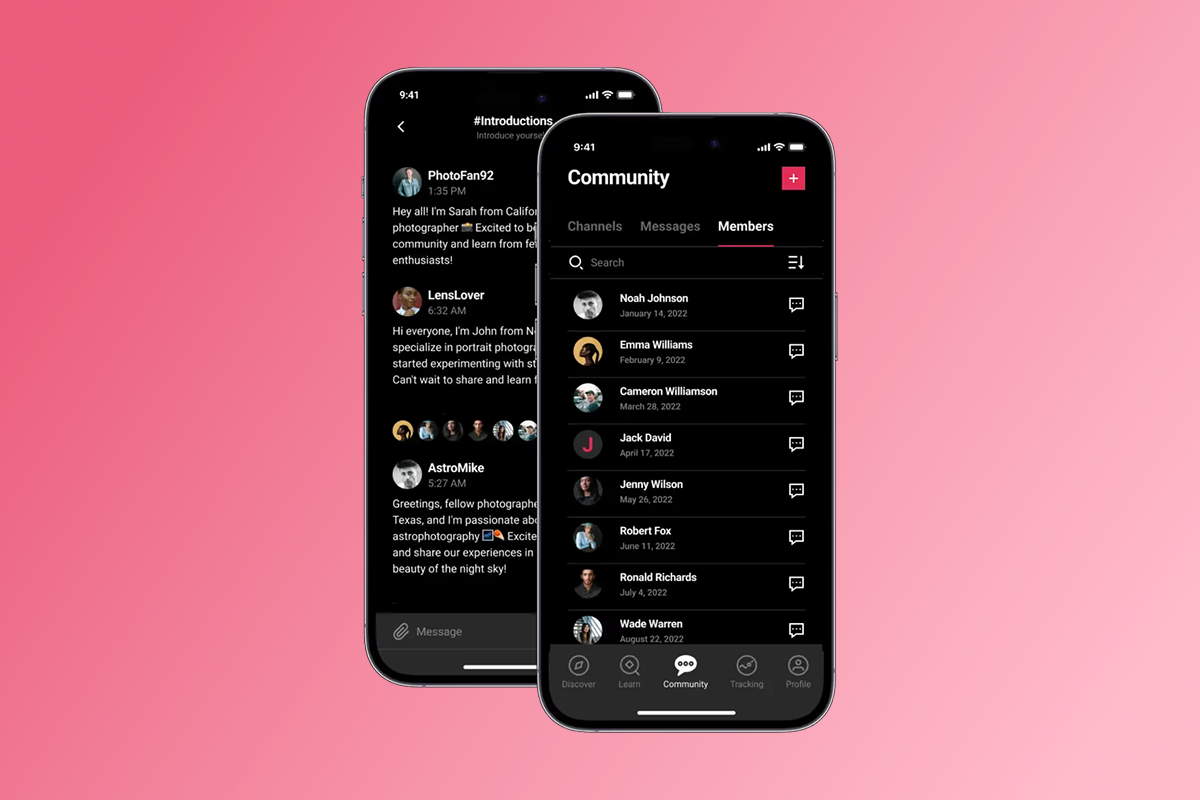
Community turns passive learners into active participants. Seed your community during launch week by posting daily, asking open-ended questions, and celebrating early contributions publicly. Highlight user posts in your push notifications and live sessions to reward participation and model the behavior you want. In-app community features let you create channels for onboarding, Q&A, accountability challenges, wins, and casual connection without moderating yet another Facebook Group.
Drip content over time rather than releasing everything at once. Dripping maintains engagement because members have a reason to return weekly. Use goal tracking features to let members log progress toward personal targets. Visible progress builds habit loops that increase retention.
How to build a branded app quickly without coding
Custom app development costs $80,000 to $250,000 for a coaching or course platform with community features, payments, and content management. Ongoing maintenance adds 15-20% annually, or $12,000-$50,000 per year. Timeline runs 4-9 months from scoping to launch.
Passion's Launch plan costs $1,188 annually plus $124 in first-year developer fees for Apple ($99/year) and Google Play ($25 one-time). Your web app launches in 2-3 weeks with mobile store submissions following within 4-8 weeks. The platform handles hosting, security updates, and compatibility patches, so you focus on content instead of infrastructure.
The no-code builder uses drag-and-drop to upload videos, audio files, PDFs, and text. Set up lessons in sections with quizzes, timers, and goal-tracking elements. Apply your logo, brand colors, and fonts to the interface. Add your payment tiers and access rules. Schedule content drips and push notifications. Preview your app on web, iOS, and Android before publishing.
Templates accelerate setup so you're not building from a blank canvas. Choose a coaching template that includes a lesson library, community channels, booking integration, and payment setup. Customize the template with your content and branding. Integration options extend functionality through native connectors for Calendly, Typeform, YouTube, Vimeo, Stripe, and Zapier. Offline access lets clients download lessons and consume content without internet connectivity, ideal for fitness coaches whose clients train in gyms with weak WiFi or business coaches whose clients travel frequently.
"They guide you through the process every step of the way." - Verified user review of Passion
Measuring success: Key metrics for your coaching app
Track five metrics weekly to understand retention, revenue, and growth trajectory.
- MRR (Monthly Recurring Revenue): Total predictable revenue from active subscriptions, excluding one-time purchases. Calculate by multiplying paying members by average subscription price. MRR growth of 10-20% monthly signals healthy expansion in early-stage subscription businesses.
- Churn Rate: Percentage of members who cancel each month. Calculate by dividing members lost by total members at month start. Healthy SaaS churn runs 3-5% monthly. Churn above 7% indicates value delivery or engagement issues.
- DAU/MAU Ratio: Daily Active Users divided by Monthly Active Users measures stickiness. Ratios above 25% indicate strong engagement. Ratios below 15% suggest users aren't finding reasons to return frequently.
- LTV (Lifetime Value): Average revenue a member generates before churning. Calculate by multiplying average monthly revenue by average lifespan in months. At your scale (under $100k MRR), use simple LTV. Once you exceed $500k annual revenue, factor in gross margin to account for delivery costs.
- LTV:CAC Ratio: Lifetime Value divided by Customer Acquisition Cost measures profitability. A healthy ratio is 3:1 or higher, meaning each member generates at least three times their acquisition cost.
Review your Passion analytics to track lesson completions, community activity, and revenue by tier. Export data monthly to spot trends and identify drop-off points in your member experience.
Start your 30-day migration to predictable MRR
Your clients deserve better than scattered tools and buried notifications. A branded mobile app gives you control over delivery, engagement, and revenue while your clients get pocket access, push reminders, and community support that actually works. Passion eliminates $80,000+ custom development costs and compresses timelines from months to weeks with a no-code builder designed for creators.
Start with a 30-day money-back guarantee, book a demo to see the platform, or download our program launch checklist to map your migration timeline. Your existing clients are your fastest path to predictable MRR.
Frequently asked questions
How long does it take to launch a coaching app on Passion?
Your web app launches in 2-3 weeks with mobile App Store and Google Play submissions following within 4-8 weeks depending on review times.
What are the total costs for launching an app?
$1,188 annually for the Launch plan, plus $99/year for Apple Developer Program and $25 one-time for Google Play, totaling approximately $1,312 in year one.
Do I need to know how to code?
No. Passion's drag-and-drop builder handles video uploads, lesson structures, branding, and payment setup without requiring technical skills.
What payment processing fees should I expect?
PassionPayments charges 3.9% on web checkouts plus Stripe fees, Apple and Google charge 15-30% on in-app purchases, and external Stripe invoices incur 0% Passion platform fee.
Can I migrate existing clients without losing revenue?
Yes. Grandfather existing clients into equivalent app tiers while positioning new subscriptions at your desired pricing, preserving goodwill and continuity during transition.
How do I get my first 1,000 app downloads?
Migrate your existing clients and email subscribers first to secure 100-500 downloads on day one, then use referral incentives and ASO optimization to expand from your owned audience outward.
What retention rate should I target?
Healthy SaaS churn runs 3-5% monthly. If churn exceeds 7%, improve onboarding, increase engagement touchpoints, and audit your value delivery.
Can I run live sessions inside the app?
Yes. Integrate YouTube Live or Zoom for live streaming and send push notifications to alert members before sessions start.
Key terms glossary
MRR (Monthly Recurring Revenue): Total predictable subscription revenue your business earns each month from active customers, excluding one-time purchases or non-recurring fees.
Churn Rate: Percentage of customers who cancel their subscriptions during a specific period, typically measured monthly or annually.
IAP (In-App Purchase): Purchases made directly within a native mobile app, subject to Apple (15-30%) or Google (15-30%) commissions.
ASO (App Store Optimization): Process of improving a mobile app's listing page to increase visibility in app stores like Apple App Store and Google Play through keyword optimization, icon design, screenshots, and reviews.
Push Notifications: Messages sent to mobile devices alerting users of content or updates, appearing on lock screens with significantly higher engagement than email.
LTV (Lifetime Value): Average total revenue a customer generates before canceling, calculated by multiplying average monthly revenue by average customer lifespan in months.
DAU/MAU: Daily Active Users divided by Monthly Active Users, measuring how frequently members engage with your app. Ratios above 25% indicate strong retention.
PassionPayments: Passion's web checkout system charging 3.9% platform fee plus Stripe processing costs, totaling approximately 6.8% per transaction compared to 15-30% for in-app purchases.